
[embedyt] https://www.youtube.com/watch?v=gwvRQDRsE6k[/embedyt]
윈도우10에 장고 설치하기
How to install Django on Windows10
https://docs.djangoproject.com/en/2.0/howto/windows/
https://www.python.org/downloads/windows/
C:\Users\AZDEV\djangodev>python –version
Python 3.7.4
C:\Users\AZDEV\djangodev>python3
‘python3’은(는) 내부 또는 외부 명령, 실행할 수 있는 프로그램, 또는
배치 파일이 아닙니다.
C:\Users\AZDEV\djangodev>python
Python 3.7.4 (tags/v3.7.4:e09359112e, Jul 8 2019, 20:34:20) [MSC v.1916 64 bit (AMD64)] on win32
Type “help”, “copyright”, “credits” or “license” for more information.
>>> exit
Use exit() or Ctrl-Z plus Return to exit
>>> exit()
C:\Users\AZDEV\djangodev>python
Python 3.7.4 (tags/v3.7.4:e09359112e, Jul 8 2019, 20:34:20) [MSC v.1916 64 bit (AMD64)] on win32
Type “help”, “copyright”, “credits” or “license” for more information.
>>> ^Z
C:\Users\AZDEV\djangodev>pip install virtualenvwrapper-win
Collecting virtualenvwrapper-win
Downloading https://files.pythonhosted.org/packages/f5/23/4cba98733b9122219ce67177d745e4984b524b867cf3728eaa807ea21919/virtualenvwrapper-win-1.2.5.tar.gz
Collecting virtualenv (from virtualenvwrapper-win)
Downloading https://files.pythonhosted.org/packages/8b/12/8d4f45b8962b03ac9efefe5ed5053f6b29334d83e438b4fe379d21c0cb8e/virtualenv-16.7.5-py2.py3-none-any.whl (3.3MB)
100% |████████████████████████████████| 3.3MB 3.5MB/s
Installing collected packages: virtualenv, virtualenvwrapper-win
Running setup.py install for virtualenvwrapper-win … done
Successfully installed virtualenv-16.7.5 virtualenvwrapper-win-1.2.5
You are using pip version 19.0.3, however version 19.2.3 is available.
You should consider upgrading via the ‘python -m pip install –upgrade pip’ command.
C:\Users\AZDEV\djangodev>python -m pip install –upgrade pip
Collecting pip
Downloading https://files.pythonhosted.org/packages/30/db/9e38760b32e3e7f40cce46dd5fb107b8c73840df38f0046d8e6514e675a1/pip-19.2.3-py2.py3-none-any.whl (1.4MB)
100% |████████████████████████████████| 1.4MB 4.7MB/s
Installing collected packages: pip
Found existing installation: pip 19.0.3
Uninstalling pip-19.0.3:
Successfully uninstalled pip-19.0.3
Successfully installed pip-19.2.3
C:\Users\AZDEV\djangodev>mkvirtualenv myproject
C:\Users\AZDEV\Envs is not a directory, creating
Using base prefix ‘c:\\python37’
New python executable in C:\Users\AZDEV\Envs\myproject\Scripts\python.exe
Installing setuptools, pip, wheel…
done.
(myproject) C:\Users\AZDEV\djangodev>workon myproject
(myproject) C:\Users\AZDEV\djangodev>dir
C 드라이브의 볼륨에는 이름이 없습니다.
볼륨 일련 번호: DEB3-1FAC
C:\Users\AZDEV\djangodev 디렉터리
2019-09-08 오전 10:36 <DIR> .
2019-09-08 오전 10:36 <DIR> ..
0개 파일 0 바이트
2개 디렉터리 1,723,898,052,608 바이트 남음
(myproject) C:\Users\AZDEV\djangodev>^Z
(myproject) C:\Users\AZDEV\djangodev>
(myproject) C:\Users\AZDEV\djangodev>pip install django
Collecting django
Downloading https://files.pythonhosted.org/packages/94/9f/a56f7893b1280e5019482260e246ab944d54a9a633a01ed04683d9ce5078/Django-2.2.5-py3-none-any.whl (7.5MB)
|████████████████████████████████| 7.5MB 819kB/s
Collecting pytz (from django)
Downloading https://files.pythonhosted.org/packages/87/76/46d697698a143e05f77bec5a526bf4e56a0be61d63425b68f4ba553b51f2/pytz-2019.2-py2.py3-none-any.whl (508kB)
|████████████████████████████████| 512kB 3.3MB/s
Collecting sqlparse (from django)
Downloading https://files.pythonhosted.org/packages/ef/53/900f7d2a54557c6a37886585a91336520e5539e3ae2423ff1102daf4f3a7/sqlparse-0.3.0-py2.py3-none-any.whl
Installing collected packages: pytz, sqlparse, django
Successfully installed django-2.2.5 pytz-2019.2 sqlparse-0.3.0
(myproject) C:\Users\AZDEV\djangodev>djang-admin –version
‘djang-admin’은(는) 내부 또는 외부 명령, 실행할 수 있는 프로그램, 또는
배치 파일이 아닙니다.
(myproject) C:\Users\AZDEV\djangodev>django-admin –version
2.2.5
(myproject) C:\Users\AZDEV\djangodev>django-admin startproject dev
(myproject) C:\Users\AZDEV\djangodev>dir
C 드라이브의 볼륨에는 이름이 없습니다.
볼륨 일련 번호: DEB3-1FAC
C:\Users\AZDEV\djangodev 디렉터리
2019-09-08 오전 11:14 <DIR> .
2019-09-08 오전 11:14 <DIR> ..
2019-09-08 오전 11:14 <DIR> dev
0개 파일 0 바이트
3개 디렉터리 1,723,837,583,360 바이트 남음
(myproject) C:\Users\AZDEV\djangodev>cd dev
(myproject) C:\Users\AZDEV\djangodev\dev>dir
C 드라이브의 볼륨에는 이름이 없습니다.
볼륨 일련 번호: DEB3-1FAC
C:\Users\AZDEV\djangodev\dev 디렉터리
2019-09-08 오전 11:14 <DIR> .
2019-09-08 오전 11:14 <DIR> ..
2019-09-08 오전 11:14 <DIR> dev
2019-09-08 오전 11:14 644 manage.py
1개 파일 644 바이트
3개 디렉터리 1,723,837,583,360 바이트 남음
(myproject) C:\Users\AZDEV\djangodev\dev>python manage.py migrate
Operations to perform:
Apply all migrations: admin, auth, contenttypes, sessions
Running migrations:
Applying contenttypes.0001_initial… OK
Applying auth.0001_initial… OK
Applying admin.0001_initial… OK
Applying admin.0002_logentry_remove_auto_add… OK
Applying admin.0003_logentry_add_action_flag_choices… OK
Applying contenttypes.0002_remove_content_type_name… OK
Applying auth.0002_alter_permission_name_max_length… OK
Applying auth.0003_alter_user_email_max_length… OK
Applying auth.0004_alter_user_username_opts… OK
Applying auth.0005_alter_user_last_login_null… OK
Applying auth.0006_require_contenttypes_0002… OK
Applying auth.0007_alter_validators_add_error_messages… OK
Applying auth.0008_alter_user_username_max_length… OK
Applying auth.0009_alter_user_last_name_max_length… OK
Applying auth.0010_alter_group_name_max_length… OK
Applying auth.0011_update_proxy_permissions… OK
Applying sessions.0001_initial… OK
(myproject) C:\Users\AZDEV\djangodev\dev>python manage.py runserver
Watching for file changes with StatReloader
Performing system checks…
System check identified no issues (0 silenced).
September 08, 2019 – 11:18:05
Django version 2.2.5, using settings ‘dev.settings’
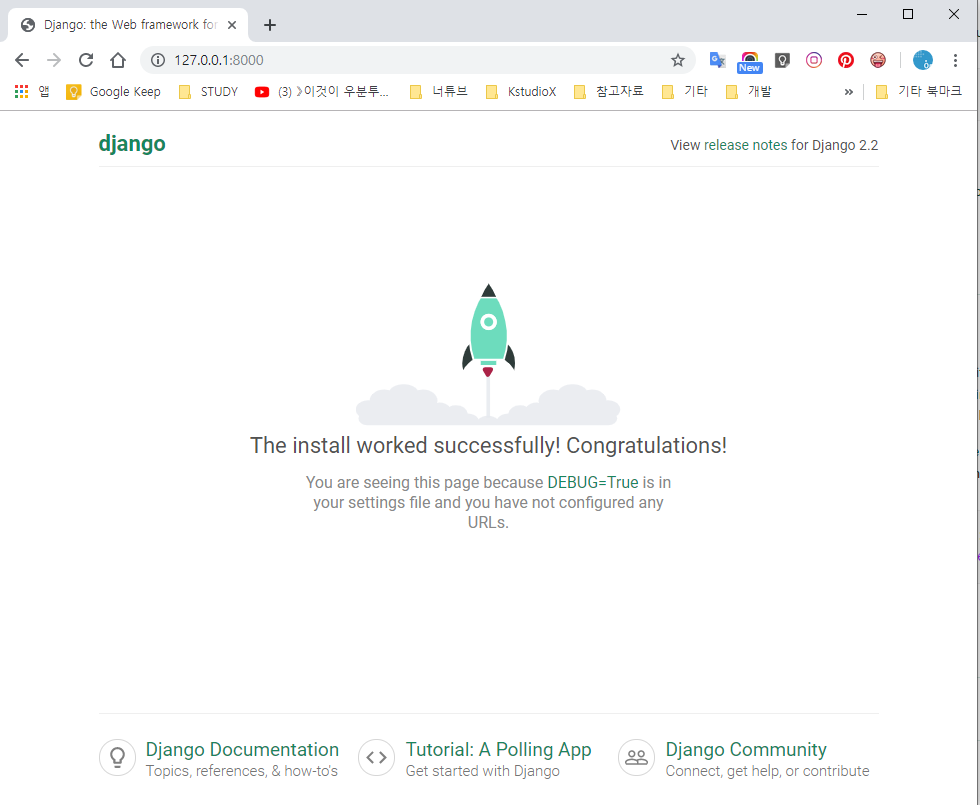
Starting development server at http://127.0.0.1:8000/
Quit the server with CTRL-BREAK.
